Phone apps
Two products.Two phone apps.
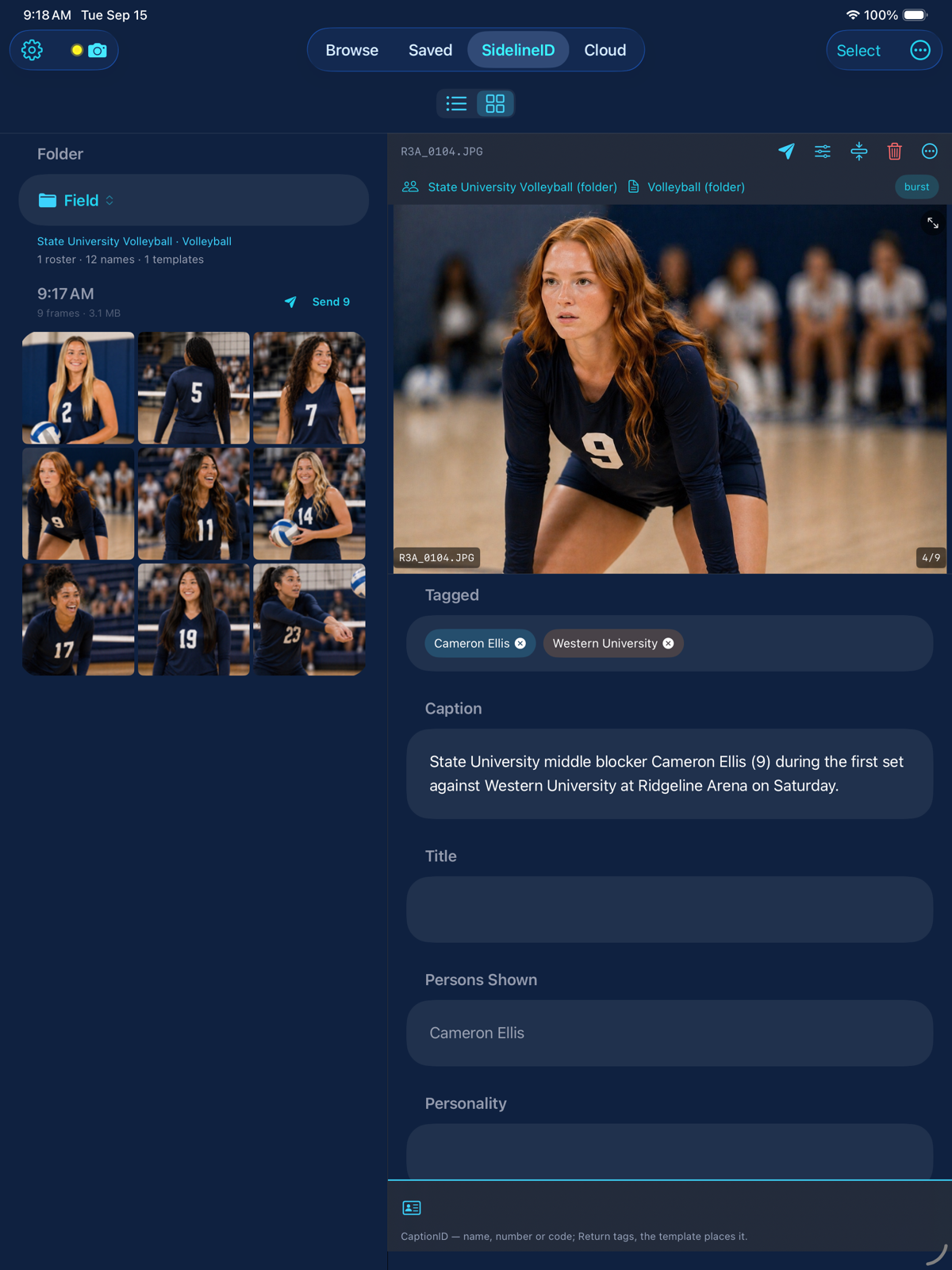
GalleryID Desktop on your phone is the photographer’s app: your catalog in your pocket, and photos captioned on it at the game as the camera sends them. GalleryID Cloud on your phone is for the people who ask for the photo.
Each app belongs to one product and the store listing says which.
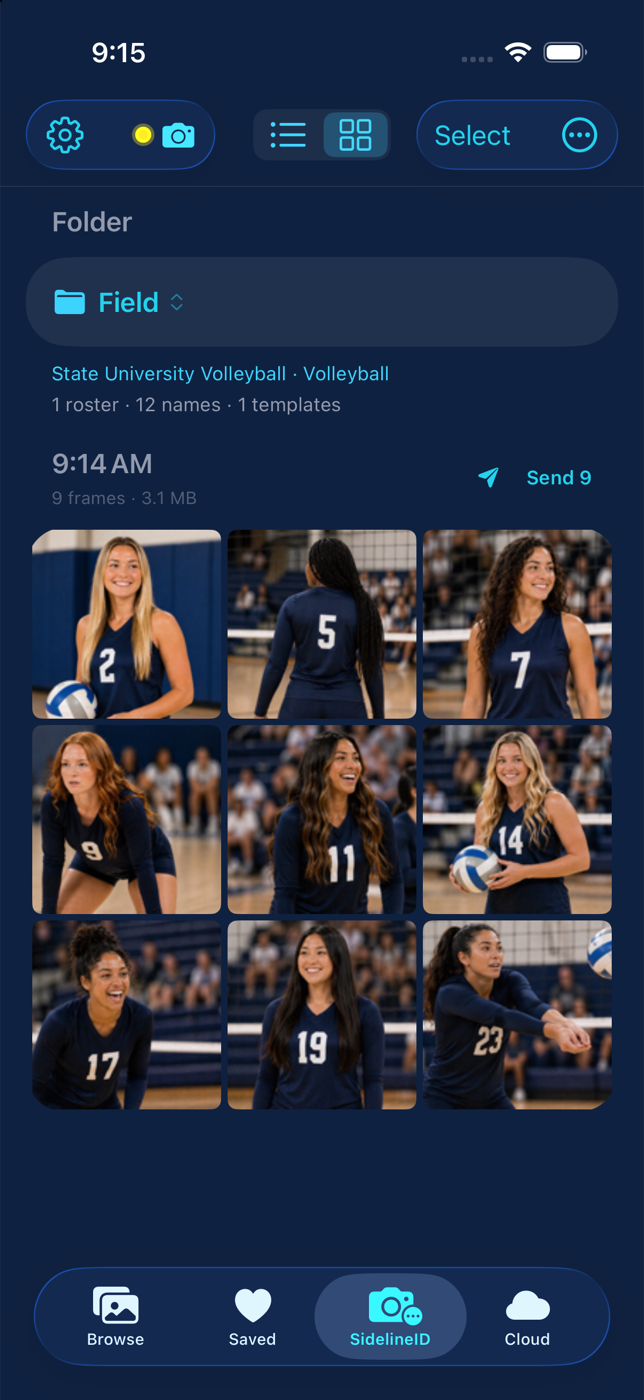
SidelineID is the part of GalleryID Desktop that runs on your phone at the game. The camera sends each frame to the phone, CaptionID names the athlete from your roster, and the named file goes out from the sideline. It’s a mode of Desktop, not a third product: MatchID finds the athlete, CaptionID names them, SidelineID does it before you’re back at the laptop.
Camera to phone. Captioned on the sideline.
The Desktop app on a phone. It pairs with GalleryID Desktop on your Mac or PC over your own wifi, and nothing passes through the cloud.
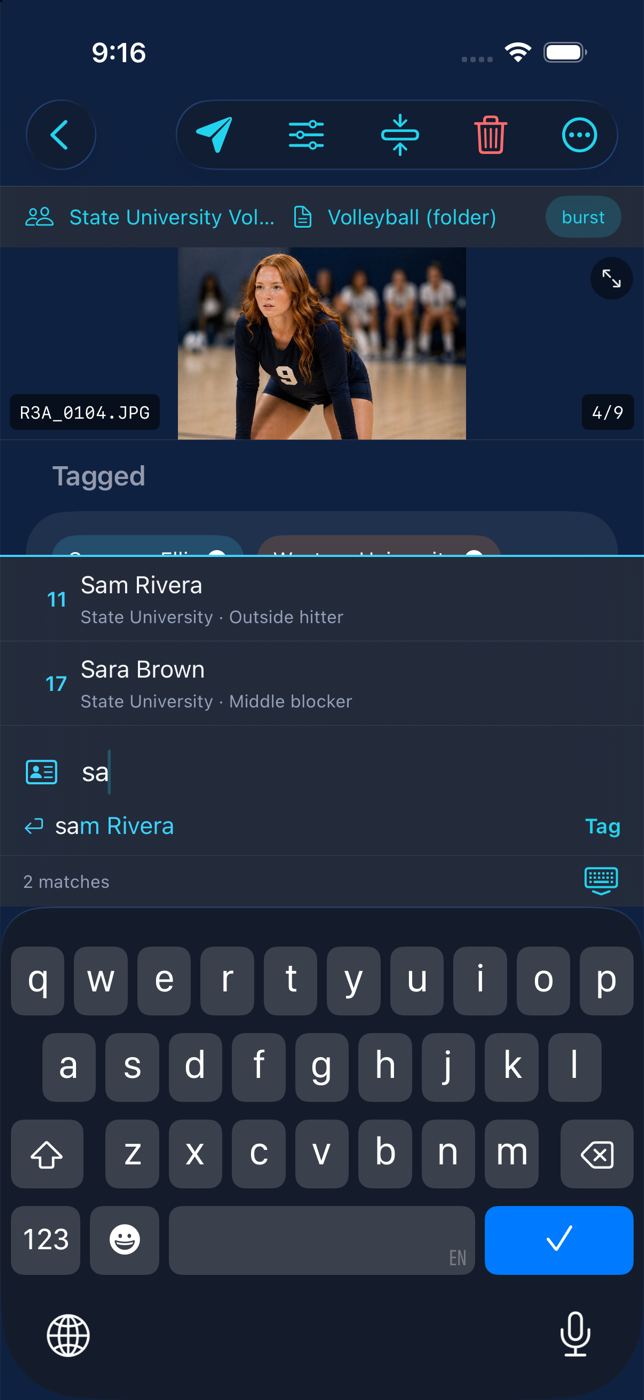
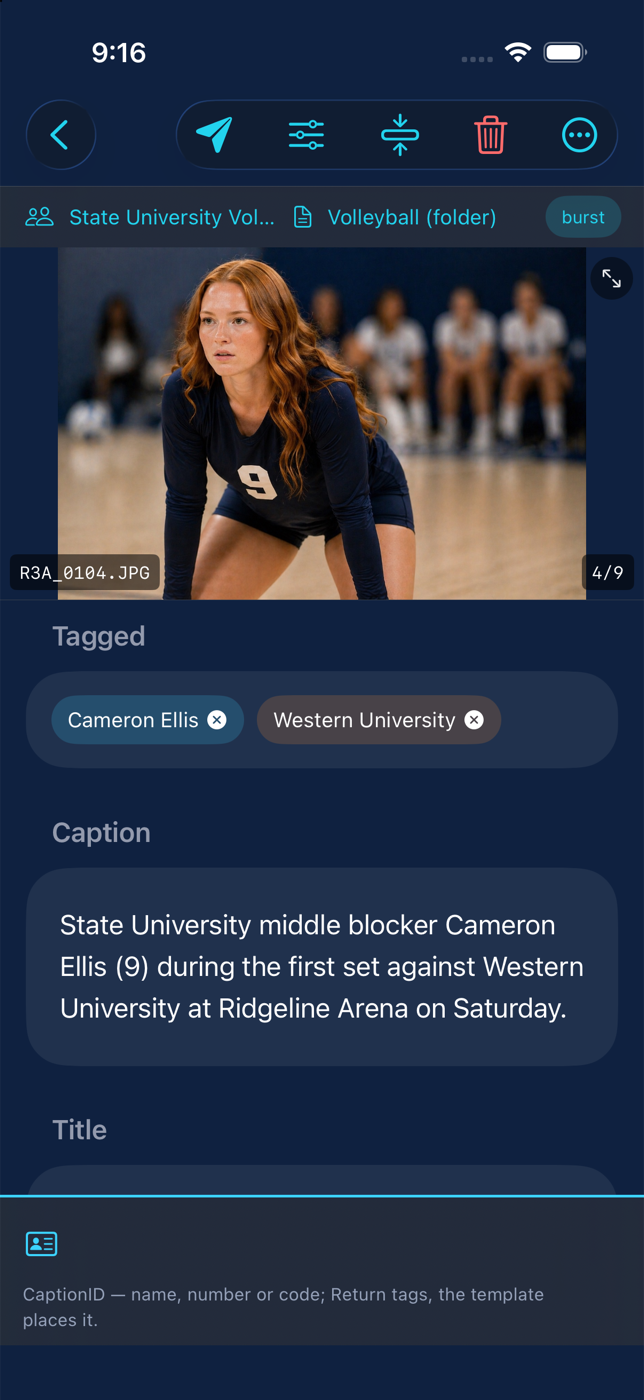
SidelineID. The camera joins the phone’s hotspot and sends each frame as it’s taken. The roster from Desktop is already on the phone, so you type a name or a number and one press writes the athlete and the full caption line from your template. Then send: FTP or SFTP to the wire, to Desktop’s inbox, to Photos, or to a share.
Names write to the file in XMP and IPTC metadata before it leaves the phone.
Catalog. Browse the photos Desktop has cataloged with the drives unplugged and the computer left at home. Thumbnails sync for the whole catalog, HD previews for recent work, and older ones fetch on demand over your wifi. Search by name, keyword or filename.


Included with GalleryID Desktop, $20/mo or $200/yr. Pair it from Catalog › Pair Phone in the desktop app. How SidelineID works →
For the people who ask for the photo.
The Cloud archive on a phone. Athletes, coaches and staff sign in with their Cloud account, search by name and download what they need.
Search the galleries you have access to by athlete, team or date. Open a photo, download it, or share the link. AthleteID accounts land here after the invite, and a department’s staff use it to pull a photo between meetings without opening a laptop.
A Cloud account is all it needs. No GalleryID Desktop, no pairing.
Included with GalleryID Cloud, from $20/mo for 200 GB. About GalleryID Cloud →
Match the app to the product you use.
I caption and deliver on my own computer
You’re on GalleryID Desktop. The phone app carries your catalog, and SidelineID captions on the phone at the game.
Install GalleryID Desktop
My department searches a hosted archive
You’re on GalleryID Cloud. Sign in with the same account you use in the browser.
Install GalleryID Cloud
I use both
Install both. The sign-ins are separate because the products are: Desktop pairs with your computer, Cloud signs in to the archive.
Install both
About the phone apps.
Which app do I install?
+
If you use GalleryID Desktop on your Mac or PC, install GalleryID Desktop on your phone. It is the same subscription. If you or your department use GalleryID Cloud, install GalleryID Cloud and sign in with your Cloud account. Photographers on both products install both; the sign-ins are separate because the products are.
Does the Desktop phone app need the computer running?
+
For the catalog and for syncing rosters, templates and FTP destinations, yes: the phone talks to GalleryID Desktop over your own wifi and nothing passes through the cloud. SidelineID keeps working without it once the rosters are on the phone. At a venue the Mac can join the phone hotspot, or you can send straight to FTP from the phone.
Which cameras work with SidelineID?
+
Any body that can send to an FTP server over wifi. The camera joins the phone hotspot and sends each JPEG as it is taken. GalleryID Desktop was built and tested with the Canon EOS R3; the setup steps for it are in Desktop help.
Are the names written before the photo leaves the phone?
+
Yes. The phone stamps the caption, headline, keywords and the rest of your template to the file in XMP and IPTC metadata at send, using the same writer GalleryID Desktop uses. A file that cannot be stamped is not sent.
Is the GalleryID Cloud app for photographers?
+
It is for anyone with a Cloud account, and most of its users are the athletes, coaches and staff who search the archive and download. A photographer whose department is on Cloud can use it to check a gallery from the sideline. Captioning on the phone as the camera sends is SidelineID, in the GalleryID Desktop app.
Captioned. Confirmed.Before deadline.
GalleryID Desktop is $20/mo or $200/yr, two computers included, and the phone app comes with it. Nothing is uploaded to identify anyone.