Reference
Activate a computer and manage devices
A GalleryID Desktop subscription includes two computers, Mac or Windows. Activate each one with the license key from your email.
Activate a computer
- 1
Open the app
The first launch shows Activate this Mac (or this PC). - 2
Paste your license key
From your activation email. - 3
Name this computer
Something you'll recognise later, such as Studio iMac or Field MacBook. It shows in your account on the web. - 4
Activate GalleryID Desktop
The app opens on Browse.
On a Team plan, each person gets their own key by email, and the key covers the computers on that seat.
Settings ▸ License
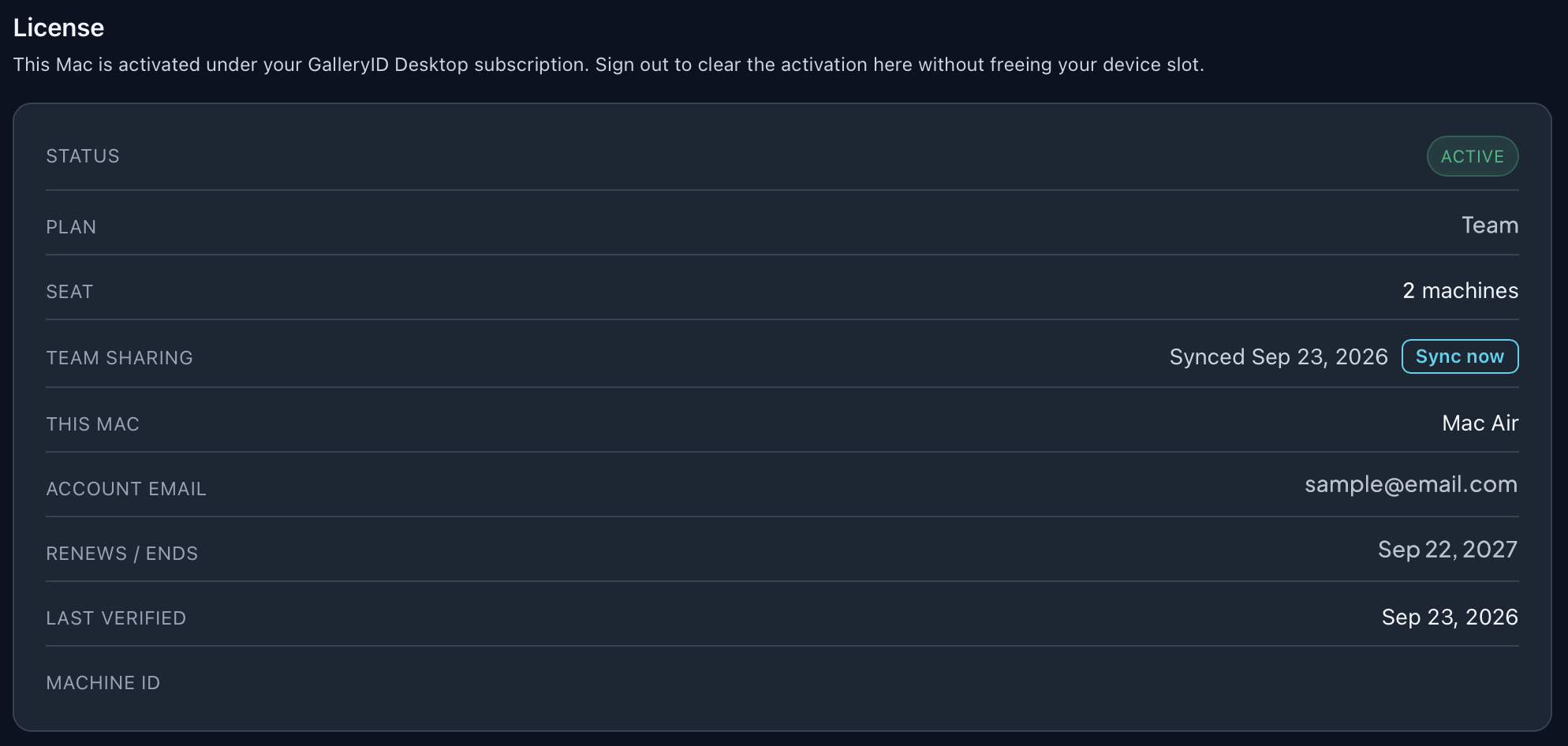
| Row | What it shows |
|---|---|
| Status | Active, or why not. |
| Plan | Your subscription, such as Team. |
| Seat | How many computers your seat covers. |
| Team sharing | Team plans: when the templates, destinations and watermarks your team shares last synced. Sync now fetches them straight away. |
| This Mac | The name you gave this computer. |
| Account email | The email the subscription is under. |
| Renews / Ends | The next renewal date, or the end date if it's cancelled. |
| Last verified | When the app last checked the license. |
| Machine ID | This computer's identifier, for support. |
Manage devices

| Button | What it does |
|---|---|
| Deactivate this Mac | Clears the activation on this computer only. Its device slot stays reserved, so you can paste your key again here. |
| Manage devices on the web | Opens your account at galleryid.ai/desktop/account, where you revoke a computer to free its slot for a different one. |
Deactivating doesn’t free a slot. To move to a new computer, revoke the old one on the web first.
Revoking lives on the web, not in the app, so people sharing a subscription can’t sign each other out.