Files and delivery
Copy, move and rename files
File photos into folders, rename them, and drag them out, without splitting a RAW from its JPEG.
Right-click menu
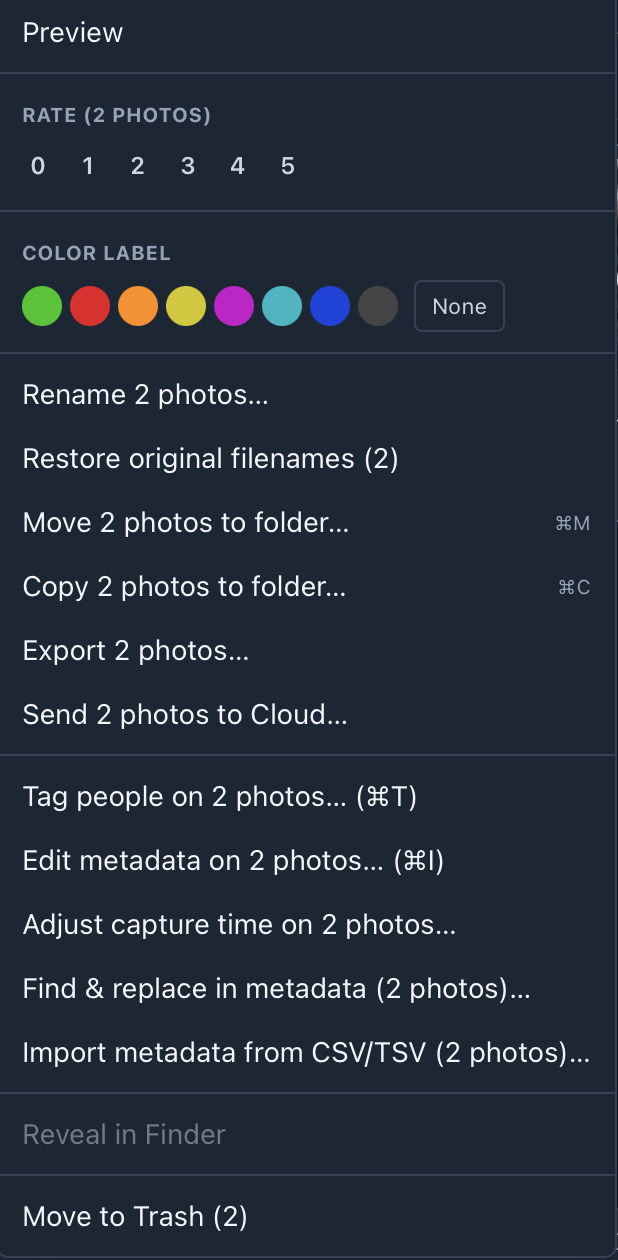
| Item | What it does |
|---|---|
| Rate / Color label | Sets stars or a colour class on each selected photo. |
| Rename… | Renames in place. See below. |
| Restore original filenames | Puts back the name the file had before GalleryID or Photo Mechanic renamed it on ingest. A photo with no recorded name is skipped and counted, never guessed. |
| Move / Copy to folder… | See below (⌘M, ⌘C). |
| Export… | Writes rendered copies to a folder, with resize, sharpen and watermark. |
| Send to Cloud… | Uploads to a GalleryID Cloud gallery, if you've signed in to Cloud. |
| Tag people / Edit metadata | Opens tagging (⌘T) or the metadata editor (⌘I) for the whole selection. |
| Adjust capture time… | Shift the time by days, hours, minutes and seconds, or set it outright. Shows the before and after on the first photo first. |
| Find & replace in metadata | Swaps text across a field for the selection. |
| Import metadata from CSV/TSV | Matches spreadsheet rows to photos by filename and maps the columns onto IPTC fields. Empty cells are skipped, never blanked. |
| Reveal in Finder | One photo at a time. |
| Move to Trash | Both halves of a RAW+JPEG pair go together (⌘⌫). |
Once you’ve copied a photo’s edits, the menu also offers Paste Edits onto the selection.
Copy or move to a folder
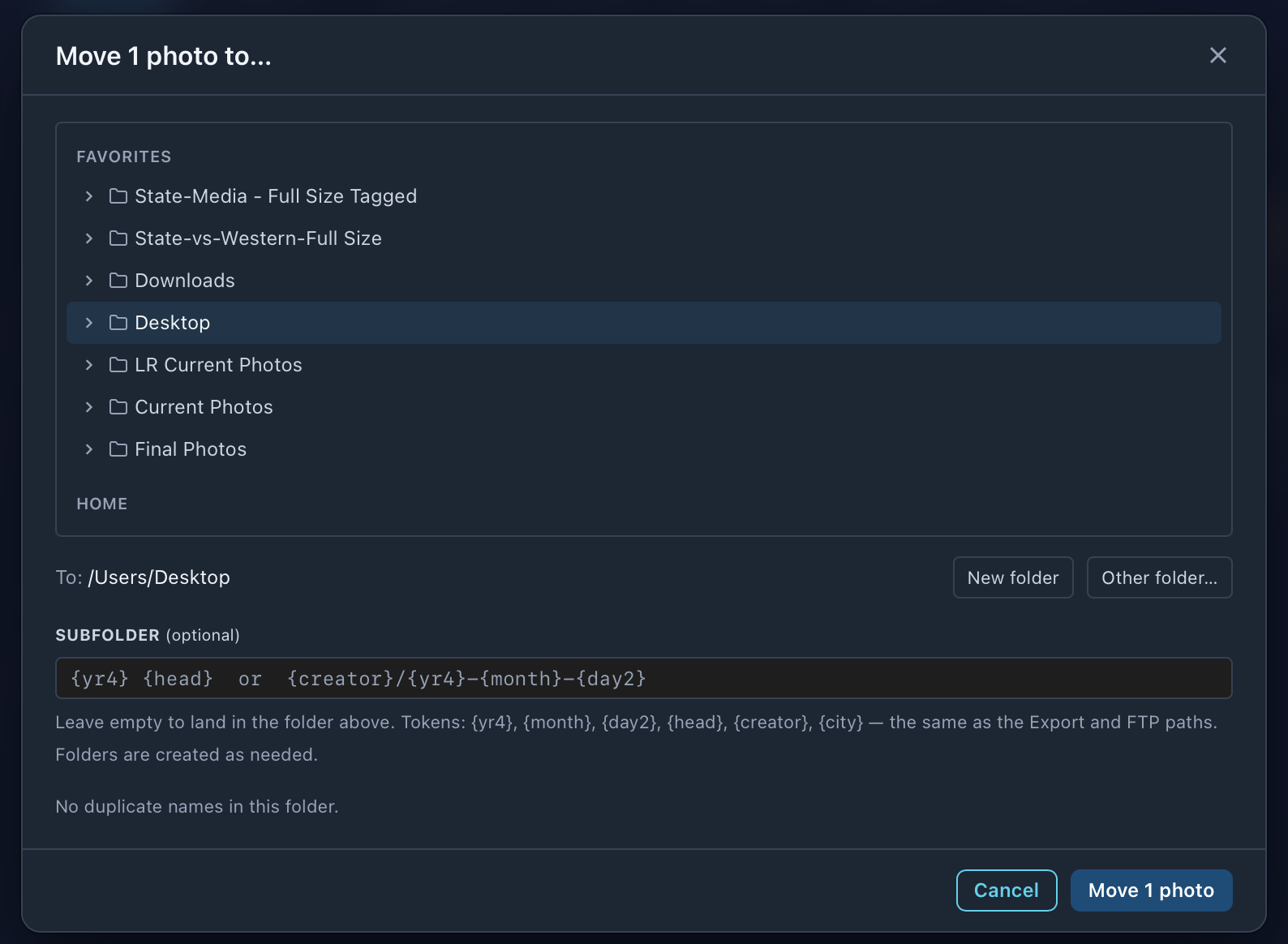
| Part | What it does |
|---|---|
| Folder tree | The same Favorites and Home as the Browse sidebar. Click to pick, the arrow to open. |
| New folder | Makes a folder inside the one picked. |
| Other folder… | The system folder picker, for anywhere else. |
| Subfolder | Optional. Tokens such as {yr4}, {month}, {day2}, {head}, {creator} and {city} fill per photo, so one batch can split by date or headline. Missing folders are made as needed. |
When names already exist
The dialog checks the folder first. If none of the names are there, it says so. If some are, it says how many and asks:
| Choice | Result |
|---|---|
| Keep both | The incoming file gets a letter suffix (fileA.jpg). Nothing is replaced. The default. |
| Skip duplicates | Files already there are left alone. |
| Overwrite | Replaces the files in the destination. |
Overwrite can’t be undone.
RAW and JPEG pairs
Copying or moving a selection with pairs in it asks once: both, the JPEGs only, or the RAWs only. A RAW takes its .xmp sidecar with it.
Copy to folder copies the original file as it is: no resize, sharpening, watermark, crop or edits. Use Export for a rendered copy.
Rename
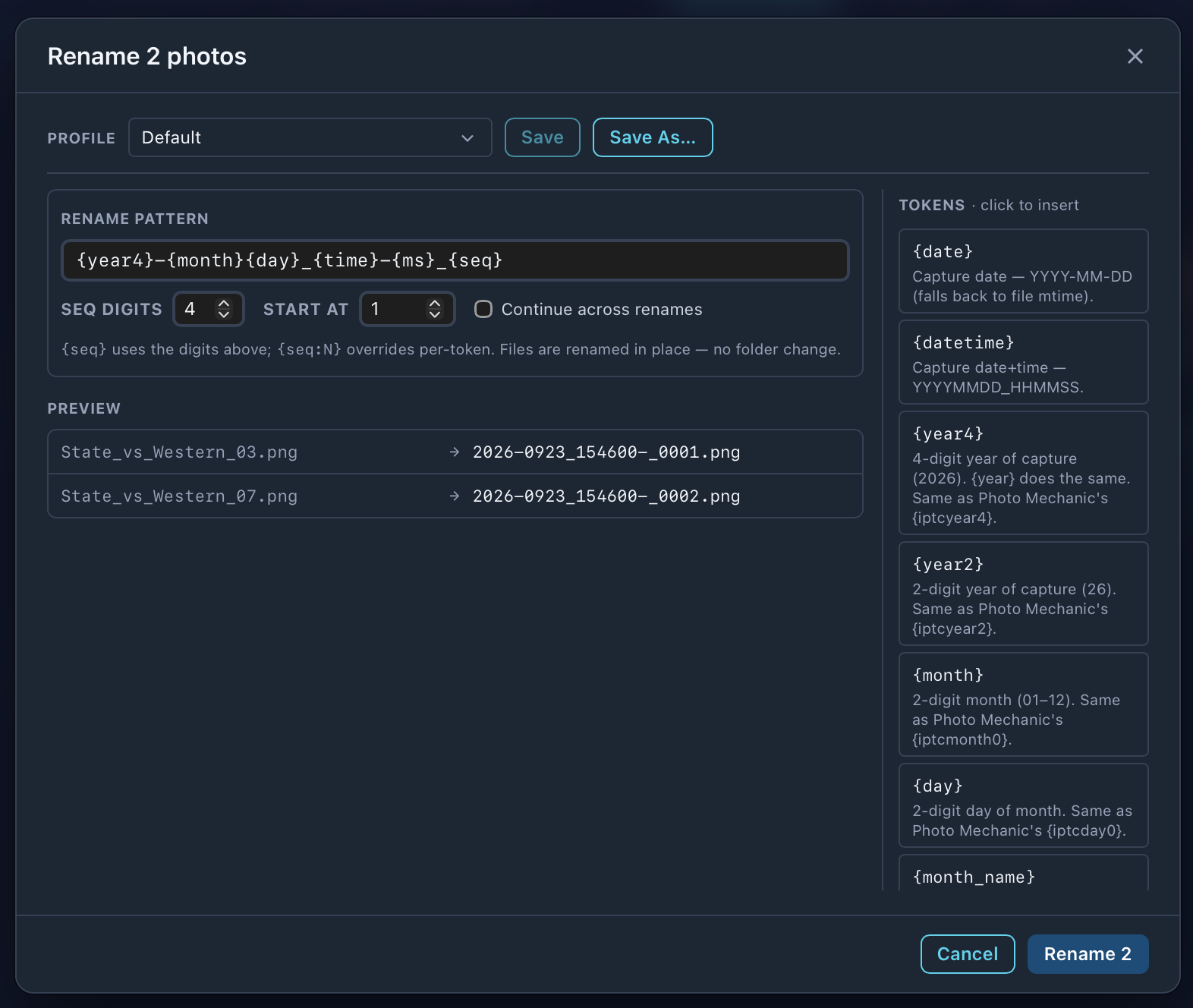
| Part | What it does |
|---|---|
| Profile | Saves a pattern and its numbering under a name. Save updates it, Save As… makes a new one. |
| Rename pattern | The new name. Click a token on the right to insert it. The same tokens as ingest. |
| Seq digits / Start at | How {seq} counts: 4 digits from 1 gives 0001. {seq:N} sets the digits for one token. |
| Continue across renames | Picks the count up where the last rename stopped, even after a restart. Good for one running number across a season. |
| Preview | The old and new name for the first few photos. |
- •Files are renamed where they are. Nothing changes folder.
- •A RAW and its JPEG are renamed together and keep the same name, and a pair uses one number.
Drag in and out
- •Drag photos onto a folder in the sidebar to move them there.
- •Drag them into Finder to copy, or onto a browser upload page.
- •Dragging a selected photo takes the whole selection. Pairs always go together.
- •The other way: drop a folder or a photo on the GalleryID icon in the Dock, or use Open With in Finder, and it opens in Browse.